
Best academic writing software for researchers in 2026
Find the best academic writing software for 2026. This guide explores integrated tools that manage sources, automate citations, and assist your writing.
Write with structure in Clarami AI
Editor-first AI drafting, citations, and two Workflows for student writing.
You've likely spent the last hour toggling between three browser tabs, a PDF reader, and a blank document, only to realize you can't find the specific page number for that crucial methodology quote. This friction isn't just an annoyance; it's a barrier to deep cognitive work. Finding the best academic writing software in 2026 requires moving beyond simple word processors. You need a specialized environment that anchors every claim to its primary source.
The traditional workflow of copy-pasting between disconnected apps often leads to citation errors and the anxiety of potential hallucinations. Systematic order. Traceable data. Structural integrity. We understand that maintaining these standards is non-negotiable. This guide explores how to select a cohesive workspace that integrates source management and verified AI assistance while keeping you in total control of the final output. You'll learn to build a system that eliminates disorganization and substantiates every argument with precision. Before using any AI-assisted tools, always check your institution's specific policies and disclose AI use as required.
Key Takeaways
- Learn why moving from generic document editors to integrated research workspaces reduces cognitive load and prevents source loss.
- Identify the essential features of the best academic writing software, including native PDF management and automated citation generation.
- Discover a systematic two-step workflow for centralizing your research library and mapping drafts to specific academic rubrics.
- Understand how to use an integrated editor to generate drafts with human oversight, ensuring every claim is substantiated by real sources.
Table of Contents
- Beyond the word processor: The shift to integrated research workspaces
- Essential features of top-tier academic writing software
- Evaluating the leading software options for researchers
- How to build a systematic research-to-draft workflow
- Clarami: The methodical expert for your academic writing
Beyond the word processor: The shift to integrated research workspaces
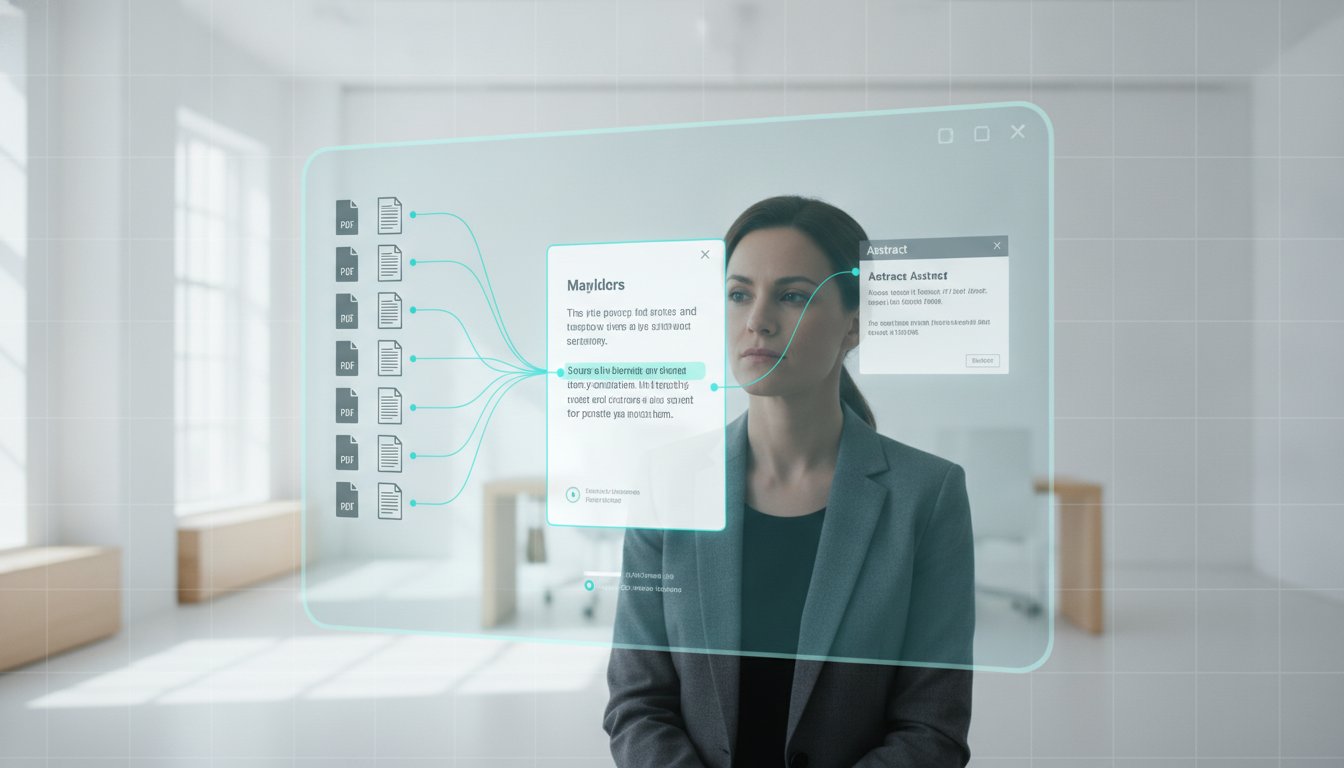
Traditional word processors like Microsoft Word were designed for general business correspondence, not the rigorous synthesis required for a dissertation or peer-reviewed article. They don't provide a structural connection between your draft and your evidence. When you use a generic document editor, your research exists in one window while your writing lives in another. This separation creates a cognitive gap. The best academic writing software in 2026 bridges this divide by providing a unified research workspace where your library and your editor exist in a single visual field.
A modern research workspace is built on the principle of source-grounding. This means every sentence you write is structurally anchored to its supporting data. Instead of searching through folders for a specific PDF, the software surfaces the relevant citation as you compose. This systematic order prevents the "blank page" problem and ensures that your arguments are always substantiated by primary sources. Traceable data. Structural integrity. These are the foundations of professional scholarly labor.
To better understand how these integrated tools function, watch this helpful video:
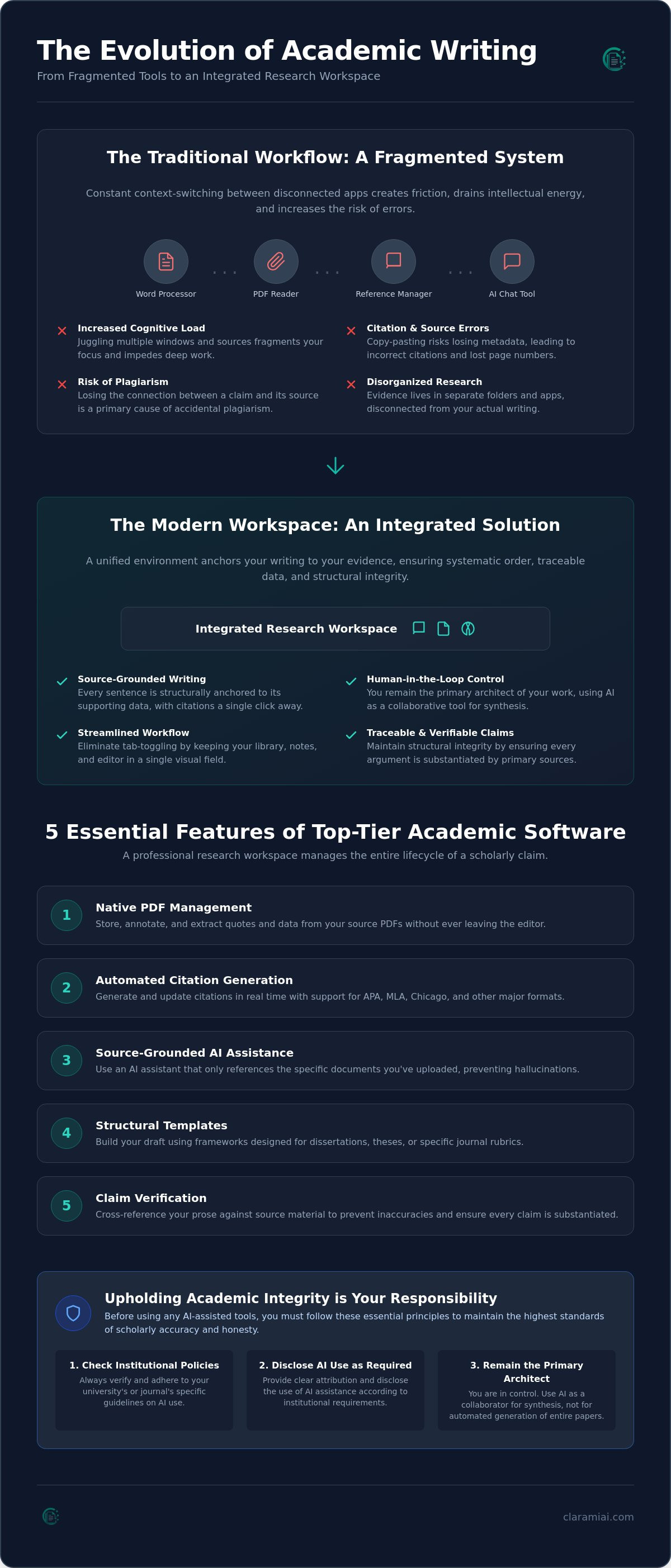
### The problem with the copy-paste workflowThe friction of switching between a PDF reader, a reference manager, and a writing app is more than a minor inconvenience. It's a drain on your intellectual energy. Constant context switching increases the likelihood of citation errors and lost arguments. When you copy and paste text from a separate AI chat box, you risk losing the link to the original source. This fragmentation is a primary cause of accidental plagiarism. Keeping your evidence and your draft in the same environment allows you to evaluate your options against a comparison of reference management software while maintaining your workflow. Integrated tools ensure that your metadata remains intact from initial extraction to final submission.
Academic integrity in the age of AI
Before using any AI-assisted tools, you must check your institution’s specific policies and disclose AI use as required. Maintaining academic integrity is your responsibility. We advocate for a human-in-the-loop approach to drafting. This means you remain the primary architect of your work. AI shouldn't be used for automated generation of entire papers; instead, it should serve as a tool for collaborative synthesis. By using a specialized Clara AI Assistant, you can refine your own prose and verify claims against your uploaded sources. This process ensures that the final document reflects your intellectual agency while meeting the highest standards of scholarly accuracy.
Essential features of top-tier academic writing software
Identifying the best academic writing software in 2026 requires looking beyond aesthetic interfaces. A truly effective tool must manage the entire lifecycle of a scholarly claim, from the initial reading of a PDF to the final bibliography. High-utility platforms prioritize structural integrity over decorative features. They ensure that your evidence is never more than a click away from your draft. This systematic order is what distinguishes a professional research workspace from a generic document editor.
The core components of a professional research workspace include:
- Native PDF management: The ability to store, annotate, and extract data from sources without leaving your editor.
- Automated citation generation: Support for APA, MLA, Chicago, and LaTeX formats that updates in real time.
- Source-grounded assistants: AI that only references the specific documents you've uploaded to your library.
- Structural templates: Frameworks designed for dissertations or specific journal rubrics.
- Claim verification: Technical safeguards that cross-reference your prose against your source material to prevent inaccuracies.
Integrated reference management
Your editor should communicate directly with your library. When these systems are disconnected, metadata often gets lost during the export process. Professional writers use useful research paper writing tools to automate the bibliography as they work. This eliminates the need for a frantic citation cleanup right before a deadline. By using a specialized PDF Manager and Citation Generator, you maintain a linear path from data extraction to substantiated argument. This approach allows you to focus on the cognitive demands of your research rather than technical formatting.
Collaborative drafting and feedback
Scholarship is rarely a solitary endeavor. You need a system that supports student-advisor collaboration without the bloat of traditional track-changes features. Look for a "suggest-mode" that allows for selection-level edits and precise feedback. Collaborative research workflows depend on transparency and version control. This ensures that every contribution is traceable and that the primary author retains intellectual agency over the final submission. It's about building a shared intellectual space where progress is steady and instructional.
Always check your school’s policies and disclose AI use where required. While tools like the Clara AI Assistant provide significant support, you're responsible for the accuracy and integrity of your work. Moving from automated generation to collaborative synthesis is the only ethical path forward. If you're ready to organize your research into a cohesive workspace, you can start building your first project today.
Evaluating the leading software options for researchers
Selecting the best academic writing software in 2026 involves weighing traditional reliability against modern integration. Scrivener remains a popular choice for long-form Ph.D. projects because of its corkboard organization and ability to manage sprawling manuscripts. However, it often requires external plugins for citation automation. Similarly, LaTeX is a staple for STEM researchers who require precise mathematical typesetting. Its steep learning curve and lack of collaborative editing features often create friction for interdisciplinary teams. By 2026, the standard has shifted toward integrated workspaces that combine organizational depth with technical precision.
Modern researchers prioritize tools that eliminate the need for context switching. A unified workspace should handle the entire chronological path of scholarship: collection, synthesis, and verification. While general-purpose editors like Google Docs offer basic collaboration, they lack the specialized metadata handling required for professional journals. You need a system that understands the structural connection between a claim and its supporting data. This systematic order is essential for maintaining momentum during the drafting phase.
Comparing general AI and source-grounded tools
General AI assistants like ChatGPT present significant risks for citation-heavy academic work. These tools often hallucinate sources or provide incorrect page numbers, which can lead to unintentional plagiarism. Specialized tools solve this by anchoring every suggestion in a real DOI. This ensures your draft follows the rigorous standards found in the University of Wisconsin-Madison's Writer's Handbook. When choosing an AI research assistant, prioritize systems that only draw from your verified library. This "human-in-the-loop" approach ensures you remain the primary architect of your intellectual labor.
Usability vs. specialized functionality
A clean interface shouldn't come at the expense of metadata complexity. You need a workspace that handles DOIs, ISBNs, and specific journal formatting without cluttering your screen. Modern workspaces are increasingly browser-based. This allows for real-time syncing and easier collaboration compared to desktop-only software. Ensure your chosen tool can export to multiple formats like DOCX, PDF, and LaTeX to maintain compatibility with advisors and publishers. Systematic data management. Traceable output. These features are the hallmarks of the best academic writing software available today.
Before using any AI-assisted tools, you must check your institution’s specific policies and disclose AI use as required. Academic integrity depends on your willingness to verify every claim against your primary sources. Tools like ClaimShield and the Draft Tone Checker can assist in refining your prose, but the final responsibility for the work's accuracy rests with you. If you need to substantiate your arguments with precision, consider using a specialized In-App Editor that keeps your evidence within view at all times.
How to build a systematic research-to-draft workflow
The transition from a collection of PDFs to a finished manuscript is often where researchers lose momentum. Disorganized notes and disparate applications create unnecessary friction. To maintain clarity, you need a linear progression that mirrors the professional scholarly process. The best academic writing software shouldn't just store your files; it should facilitate a steady path from initial data extraction to a verified final draft. By following a structured workflow, you eliminate the "blank page" problem and ensure every argument is anchored in evidence.
Implement this five-step procedure to maintain structural integrity throughout your project:
- Step 1: Centralize your library. Upload all relevant documents into a single PDF Manager. This ensures your evidence is always within your visual field as you write.
- Step 2: Apply a template. Select a framework that matches your specific academic rubric, such as a journal article or dissertation. This provides a clear roadmap for your synthesis.
- Step 3: Draft with grounded AI. Use AutoDraft to generate initial prose based solely on your uploaded sources. This keeps your claims connected to their origin.
- Step 4: Verify claims. Run a ClaimShield check to cross-reference your draft against your library. This step identifies any technical inaccuracies or missing citations.
- Step 5: Export and format. Use a Citation Generator to apply APA, MLA, or Chicago styles automatically before downloading your work as a DOCX or PDF.
From PDF highlights to structured arguments
Traditional workflows require you to manually copy highlights from a PDF reader into a separate document. This process is prone to error. Within a unified research workspace, you can extract core methodologies and data points directly into your editor. You don't have to switch windows to summarize your sources. By keeping your highlights and your draft in the same visual field, you maintain the structural connection between a claim and its supporting data. This methodical approach ensures that your intellectual agency remains at the center of the composition.
Verification and the final polish
Accuracy is the primary metric of scholarly success. Before submitting your work, you must ensure that every AI-assisted suggestion is factual. Learning how to verify AI citations is essential for maintaining academic integrity. Use a Draft Tone Checker to refine your scholarly voice and ensure your prose meets the formal standards of your field. This final verification stage transforms a rough draft into a substantiated, professional output. Always check your school policies and disclose AI use where required. You are responsible for the final accuracy of your submission.
Building a systematic workflow is the most effective way to reduce research anxiety and produce high-quality work. If you're ready to move from disorganized notes to a polished manuscript, you can set up your integrated research workspace today.
Clarami: The methodical expert for your academic writing
Clarami represents the shift from generic document editors to purpose-built research workspaces. It's a sophisticated technological solution designed by specialists for specialists. While traditional tools treat your library and your manuscript as separate entities, Clarami provides a unified environment. You don't have to toggle between PDF readers and word processors. The In-App Editor eliminates the cognitive friction of copying and pasting from a chat box. It's about maintaining momentum. Systematic order. Traceable data. Uncompromising accuracy.
The transition from raw data to a finished paper is facilitated by AutoDraft. This feature moves your research notes into a cohesive first draft while maintaining a structural connection to your evidence. Clara, your source-grounded research assistant, helps you extract methodologies and highlight relevant data points from your own library. This is followed by ClaimShield, our 2026 standard for verification. It cross-references your prose against your primary sources to ensure every statement is substantiated. This process ensures that the best academic writing software serves as a reliable intellectual companion rather than a replacement for your own agency.
The Clarami workspace advantage
Keeping your PDFs, annotations, and drafts in one logical interface is essential for scholarly synthesis. The Clarami features allow for selection-level edits, giving you precise control over AI assistance. You can rewrite a single paragraph or refine a specific claim without regenerating the entire document. This granular approach ensures that the final output reflects your unique intellectual voice. It's a methodical way to build complex arguments without losing track of your source material.
Maintaining absolute research integrity
We prioritize transparency and verification over creative flair. Our citation helper only surfaces real, verified sources from your uploaded library. This "human-in-the-loop" philosophy ensures that you remain the primary architect of your work. Before using any AI-assisted tools, you must check your school’s policies and disclose AI use as required. You are responsible for the accuracy and ethical standing of your final submission. To begin building your systematic research workspace, you can view our Pricing and access options. Clarami is the best academic writing software for researchers who value structural integrity and the substantiation of every claim.
Mastering the modern scholarly workflow
Transitioning to a unified research workspace is the most effective way to eliminate the friction between your library and your manuscript. You've seen how fragmented tools lead to data loss and how source-grounded assistants maintain the integrity of your work. Systematic order, traceable data, and structural precision are the outcomes of choosing the best academic writing software for your scholarly projects. By centralizing your PDF and citation management, you free your cognitive energy for deep analysis and synthesis.
Before finishing your project, check your institution's specific policies and disclose AI use as required. You can now utilize AutoDraft for systematic drafting and ClaimShield for real-time verification within a single, cohesive interface. This approach ensures that every statement is substantiated and every argument is anchored in primary sources. Start your methodical research journey with Clarami to move from disorganized notes to a polished, substantiated draft. Your expertise remains at the center of every claim you make.
Frequently Asked Questions
Can I use AI for academic writing without risking plagiarism?
You can use AI ethically by maintaining a human-in-the-loop workflow and verifying every claim against your original sources. Plagiarism occurs when sources aren't cited or when AI generates text without your oversight. Using a tool like ClaimShield helps you cross-reference your draft against your actual library to ensure structural integrity. Before using any AI-assisted tools, you must check your institution’s specific policies and disclose AI use as required.
How does academic writing software handle different citation styles?
Integrated platforms use a built-in Citation Generator to apply formatting rules automatically. These tools extract metadata from your PDFs to build bibliographies in APA, MLA, Chicago, or LaTeX formats. This automation ensures that your citations update in real time as you add new evidence to your draft. It eliminates the manual work of building a reference list at the end of your project.
What is the difference between a general AI and a source-grounded assistant?
General AI models draw from vast, unverified training data, which often results in hallucinated citations or incorrect data points. A source-grounded assistant like Clara only references the specific documents you upload to your workspace. This ensures that every suggestion is anchored in a real DOI or primary source. It provides a more disciplined approach for researchers who require absolute accuracy in their scholarly synthesis.
Is academic writing software better than Microsoft Word?
Specialized academic writing software is superior to Microsoft Word for research because it integrates source management directly into the editor. Word is a general-purpose processor that doesn't natively link your draft to your PDF library. The best academic writing software provides a unified workspace where evidence and prose exist in the same visual field. This reduces the cognitive load of switching between disparate applications.
Does Clarami integrate with my existing PDF library?
Yes, you can centralize your entire research collection using the PDF Manager. This tool allows you to upload, annotate, and extract methodology directly within the workspace. Keeping your library integrated with your editor ensures that your metadata remains accurate throughout the writing process. It creates a systematic order that prevents you from losing track of crucial source documents.
Can I export my research papers to LaTeX or DOCX?
You can export your completed manuscripts to multiple professional formats, including DOCX, PDF, and LaTeX. This flexibility ensures compatibility with journal submission systems and advisor feedback loops. The software maintains your structural formatting and citation integrity during the export process. Having these options allows you to meet the specific technical requirements of your academic field or publisher.
Related on Clarami
- Best AI writing tool for students (full guide) →
- AI academic integrity checklist →
- Clarami pricing: Free vs PRO vs Platinum →
- Editor vs ChatGPT for writing →
- Export DOCX, PDF, and hand-in checklist →
- How to outline a paper →
- Prompt to structured essay draft →
- Revise with AI on a selection →
- Sign up free →
- Clarami home →
- More guides on the Clarami blog →