
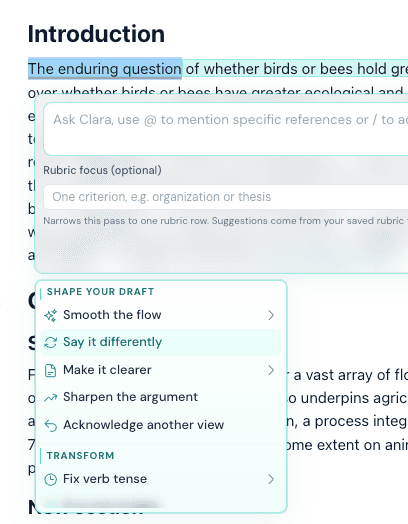
Move through writer's block
When wording stalls, Clarami suggests alternative phrasing paths so you can keep momentum without losing your argument.
Get startedWriting tools
Struggling to articulate your ideas clearly? Say it different helps you rephrase academic text for clarity, coherence, and originality while keeping your draft and sources connected in one workspace.
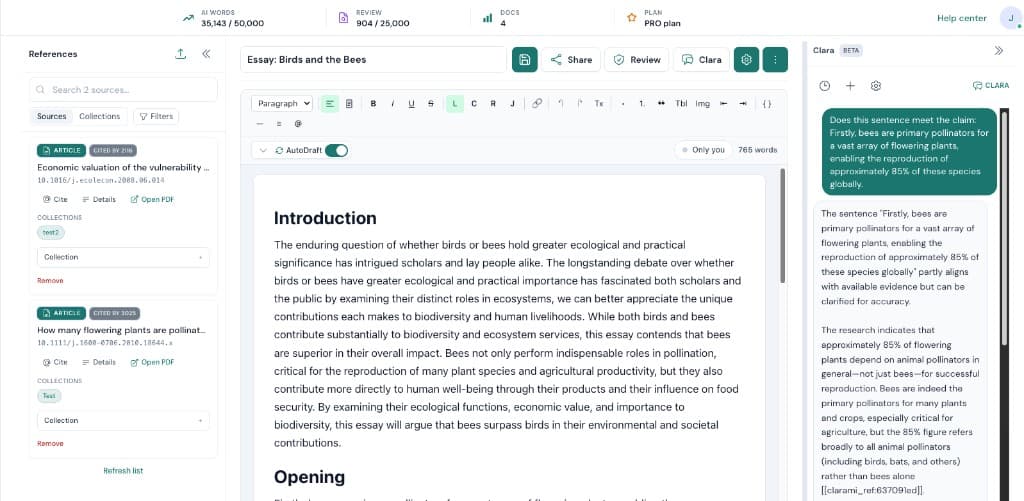
When you are working on Say it different (Paraphrasing), the bottleneck is rarely typing speed. Most of the time it is coordination. Clarami AI keeps outlines, drafts, PDFs, citation tools, and advisory checks in one intelligent research workspace so you can see how each change affects the argument you plan to submit.
Suggested flow: Paste or highlight text in your draft. Next, generate alternative phrasings matched to your writing context. When you are satisfied, accept, refine, and keep citations aligned before export. Repeating that loop inside the same saved document is how teams avoid last-minute citation gaps and keep export settings consistent.
Why this setup helps: Rephrase without losing original intent or academic tone. Keep your draft, sources, and citations in one workspace. Review and edit every suggestion before it becomes final text. If you are unsure where to begin, pick a short excerpt, refine it, then expand outward once tone and sourcing match your course, journal, or client expectations.
Key features
When wording stalls, Clarami suggests alternative phrasing paths so you can keep momentum without losing your argument.
Get started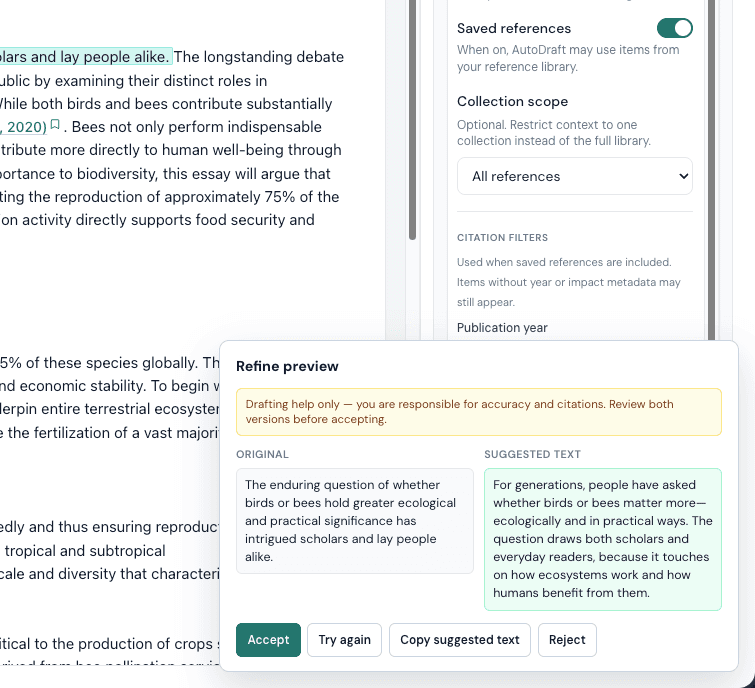
Paraphrasing suggestions preserve your meaning while tightening structure, helping your academic writing read more clearly.
Get started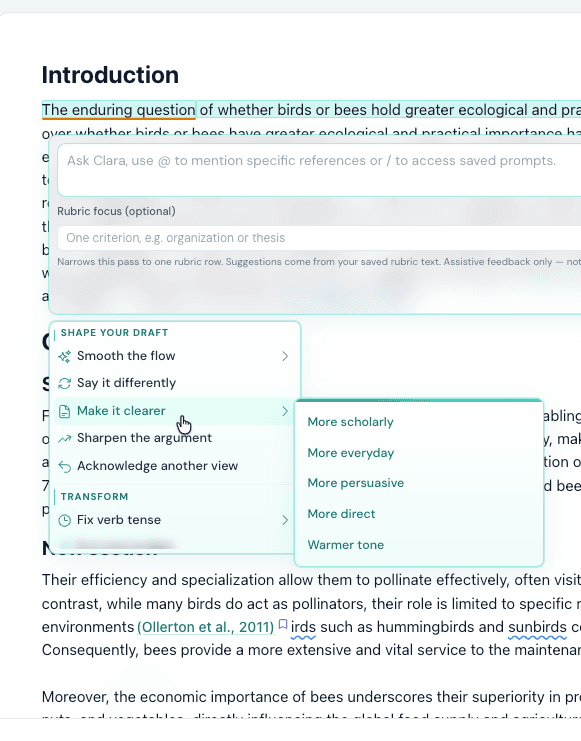
Generate multiple ways to express the same point, then choose and refine what best fits your voice and document context.
Get startedOur mission
Clarami helps you express your own ideas more clearly, not bypass the writing process. Say it different is designed to support clarity and readability while keeping meaning intact and source context visible in your research workspace.
Guide
Giving Some Love
Maya R.
Graduate student
“I use Say it different to clean up awkward sentences quickly, then keep moving in the same draft without breaking flow.”
Daniel K.
Research analyst
“The suggestions help me tighten clarity while still sounding like me. I never feel like I lose control of the writing.”
Priya S.
PhD candidate
“What I like most is seeing drafting and citations in one workspace. Say it different feels integrated, not bolted on.”
Comparison
Workspace context
Paraphrasing works inside your active draft with source context visible.
Often runs as isolated text input without full document context.
Source grounding
You can keep claims aligned to references and citations while rewriting.
Rewrites may be detached from references and require manual re-checking.
Editing control
Every suggestion is optional and editable before it enters the draft.
Output is often pasted manually, then reworked outside the original flow.
Academic workflow
Drafting, rewriting, citations, and export stay in one workspace.
Multiple separate tools and tabs are often needed to finish the paper.
Support
Say it different is built into a research workspace, so rewrites happen with your draft and sources in context instead of in a disconnected chat box.
Yes. You can review, edit, or reject every suggestion, so you keep control over tone, structure, and final wording.
Yes. It is designed to improve clarity and coherence while helping you keep source-aware writing practices in place.
Yes. You can start with a free account and upgrade when you need higher limits or additional workflow features.
You can rewrite sentence-level or paragraph-level selections and iterate in place, then continue drafting in the same document.
Related resources
Use Clarami AI to generate, refine, and export in one workflow.