
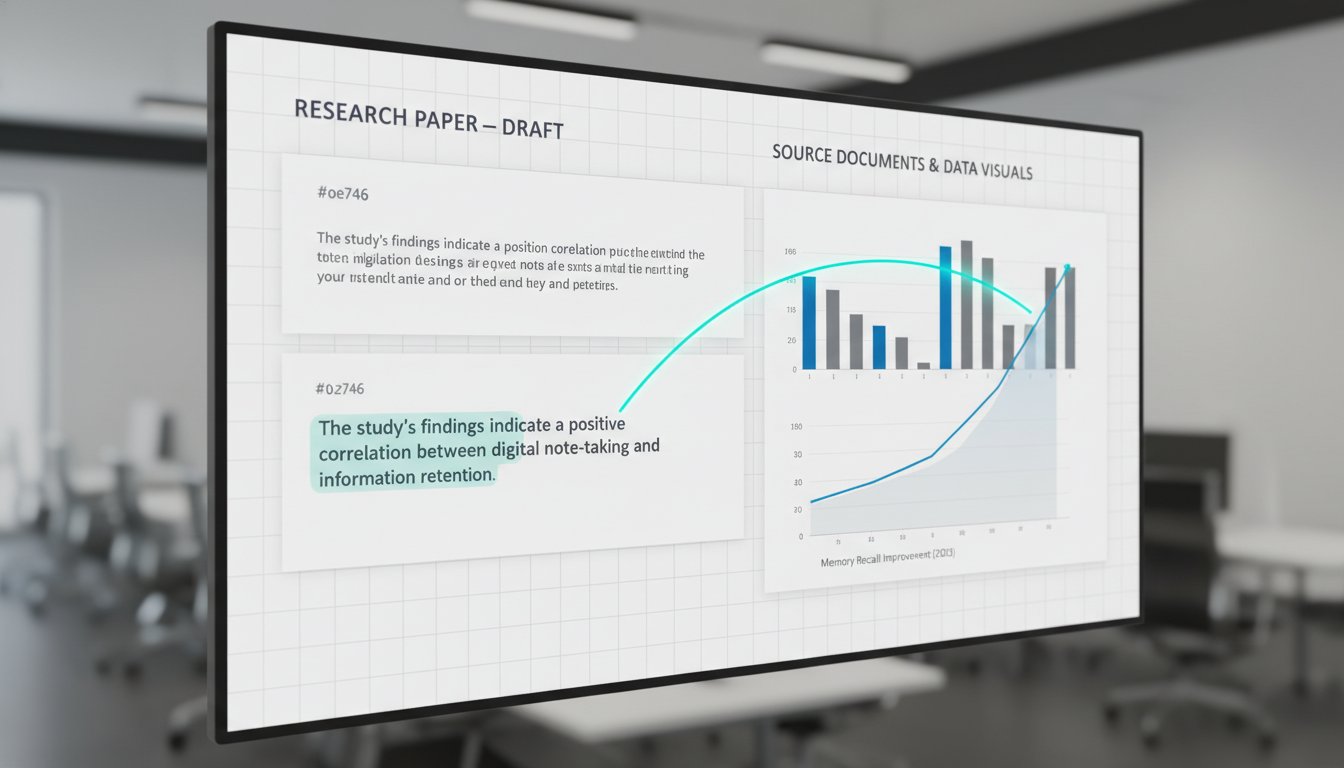
Writing software with integrated research tools: A modern track changes alternative
Tired of losing citations during edits? Learn how writing software with integrated research tools keeps your evidence connected, unlike old track changes.
Write with structure in Clarami AI
Editor-first AI drafting, citations, and two Workflows for student writing.
Traditional track changes were designed for simple copy editing, not for the rigorous task of maintaining evidence during a structural revision. When you're deep in a second draft, a single suggested edit can easily sever the link between a specific claim and the source that supports it. You've likely experienced the fatigue of toggling between a chatbot, a PDF manager, and a document editor just to verify one sentence. It's a fragmented approach that creates unnecessary cognitive load and increases the risk of citation errors. Adopting writing software with integrated research tools ensures your evidence remains a core part of the document rather than a separate, easily lost file.
You don't have to settle for disorganized comment threads that obscure your data. This article explains how to transition from disconnected word processors to a unified research workspace that keeps your arguments anchored to their primary sources. We'll examine how tools like Clara and AutoDraft provide a more structured way to collaborate and manage the revision process without losing sight of your underlying evidence.
Please remember to prioritize academic integrity when using these tools. Always check your institution's specific policies regarding AI assistance and ensure you disclose the use of these tools in your work where required.
Key Takeaways
- Learn how writing software with integrated research tools eliminates the "fragmentation trap" by housing source documents and drafts in one workspace.
- Understand why traditional track changes often obscure your evidence base during heavy structural revisions.
- Discover a structured collaborative workflow that allows you to manage feedback from advisors while keeping your citations intact.
- Evaluate the benefits of using an in-app editor for selection-level refinements instead of the inefficient process of copy-pasting from external chatbots.
- Develop a systematic process for verifying claims using ClaimShield to ensure every argument remains anchored in your primary research.
Table of Contents
- The limitations of traditional track changes in research writing
- How integrated research tools transform the revision process
- Comparing traditional editors with AI-integrated research workspaces
- Establishing a collaborative workflow for research papers
- Why Clarami is the definitive workspace for grounded research
The limitations of traditional track changes in research writing
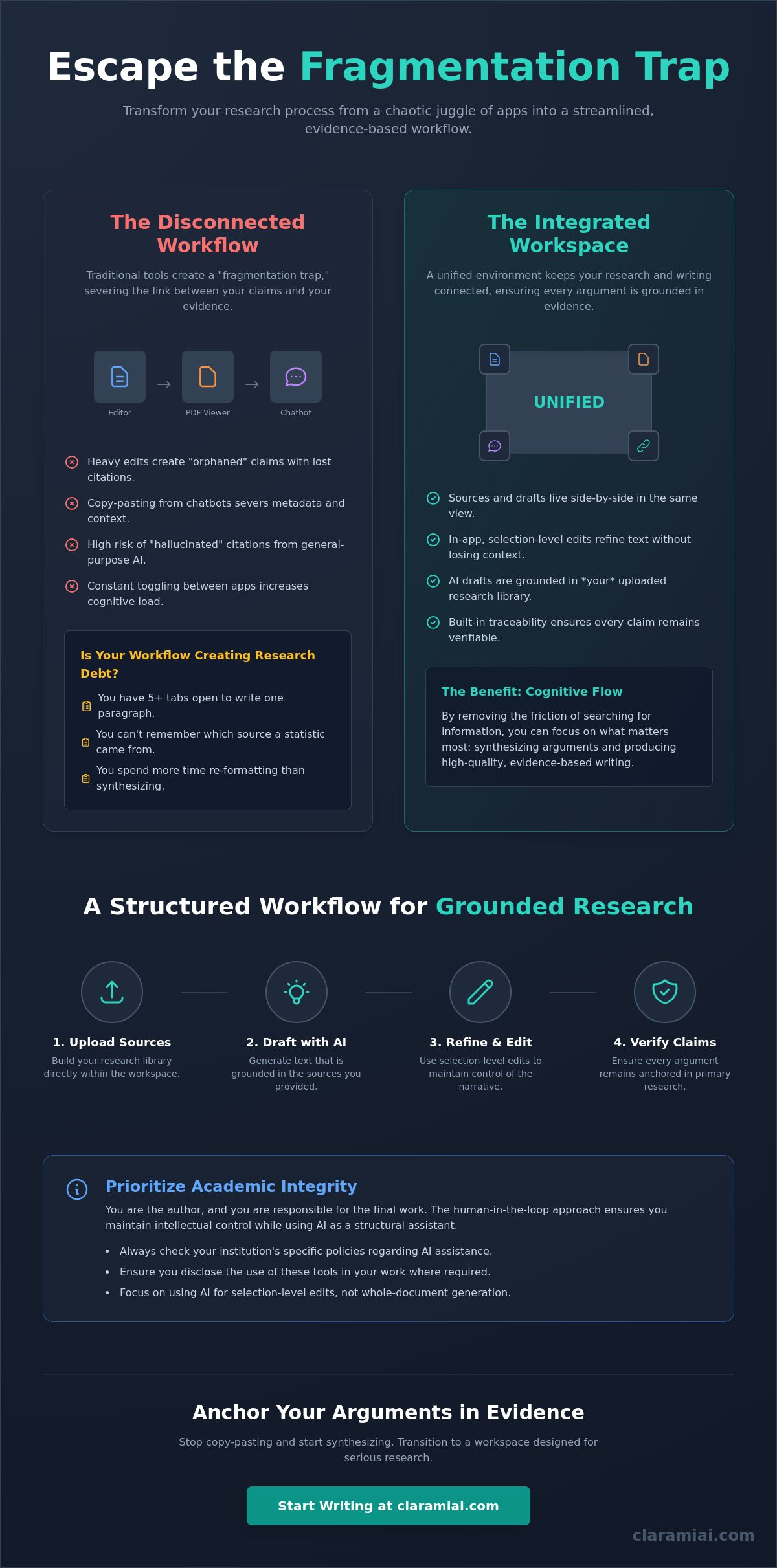
Traditional word processors treat research as an external appendix. This separation creates a "fragmentation trap." Data lives in a PDF manager; prose lives in a document. When you revise, you lose the tether between the claim and the evidence. Writing software with integrated research tools is essential for maintaining structural integrity. Legacy editors were built for narrative flow, not factual substantiation. Heavy edits often delete or move citations, leaving "orphaned" claims. This makes collaborative writing particularly risky in academic contexts where every statement requires a verified source.
To better understand how a unified workspace changes the way you interact with information, watch this helpful video:
Using general-purpose AI tools adds risk. These models often produce "hallucinated" citations that look authentic but don't exist in the real world. Without a direct connection to your source library, you're forced to manually verify every footnote. This labor defeats the purpose of automation. Professional workflows require a human-in-the-loop approach. You provide the intellectual agency; the software provides the structural order. Writing software with integrated research tools keeps your evidence and arguments connected throughout the entire drafting process.Why the copy-paste workflow creates research debt
Moving text from a chatbot into an editor is a shortcut that carries high interest. Metadata lost. Context severed. You lose the page number and the ability to verify the context of a quote. Detached claims are liabilities. Use this checklist to see if your system is failing:
- You have more than five tabs open just to write one paragraph.
- You can't remember which source provided a specific statistic.
- You spend more time re-formatting citations than synthesizing arguments.
If these points feel familiar, your workspace is likely hindering your cognitive flow.
Academic integrity and the responsibility of the author
Scholarly rigor depends on transparency. You must check your school's specific policies and disclose AI use where required. Automated essay generation is a risk to your academic standing. Avoid whole-document generation. Focus on selection-level edits instead. This means using the integrated workspace to refine specific paragraphs while you maintain control of the narrative. By anchoring your writing in real sources, you eliminate the risk of fabrication while maintaining your voice as the primary author.
How integrated research tools transform the revision process
Traditional revision often feels like a memory test. You try to remember which PDF contained the specific data point you just typed. A modern integrated document editor removes this friction by placing your source library and your draft in the same view. This side-by-side configuration allows you to verify evidence without leaving the page. While many collaborative writing tools for academics focus on general comments, writing software with integrated research tools focuses on the structural connection between a claim and its proof. Traceability becomes a built-in feature of your workflow rather than an afterthought. You spend less time searching and more time synthesizing.
Source-grounded drafting with AutoDraft and Clara
General-purpose LLMs act as "black boxes" because they can't explain why they chose a specific word or fact. In contrast, AutoDraft utilizes your specific uploaded library to propose sentences grounded in your actual data. It doesn't guess. It synthesizes based on the parameters you've provided. When you need to find a specific methodology or dataset, Clara surfaces relevant paragraphs directly from your PDF collection. This selection-level editing ensures you aren't just generating generic text; you're refining specific arguments with surgical precision. You remain the primary architect of the work, using AI as a specialized assistant rather than a ghostwriter. This approach keeps your evidence and arguments connected during the revision process.
Real-time claim verification with ClaimShield
Structural integrity requires more than just good prose. It requires accuracy. ClaimShield provides a mechanism for checking your draft statements against your reference library in real time. It scans your text to identify claims that lack sufficient evidence or contradict your sources. This verification process helps you catch unintended inaccuracies before they reach your advisor's desk. Maintaining an audit trail for every cited fact isn't just about avoiding errors; it's about building a defensible argument.
Effective claim verification provides several advantages:
- Immediate identification of unsourced statements.
- Verification of statistical data against primary PDFs.
- Prevention of accidental plagiarism through clear source mapping.
- A simplified final citation process using anchored data.
You can see exactly where every piece of data originated. This level of transparency is essential for high-stakes academic and professional writing. If you're tired of the copy-paste cycle, you can create a free workspace to see how integrated tools manage your evidence base.
Academic Integrity Disclaimer: Please ensure you check your school's specific policies regarding AI assistance. It's your responsibility to disclose AI use and verify all outputs against primary sources to maintain scholarly rigor.
Comparing traditional editors with AI-integrated research workspaces
Standard word processors were designed for office memos, not scholarly synthesis. They treat your research as an external burden. When you use writing software with integrated research tools, the architecture changes. You move from a chat-based interface to a document-first environment. This structure prioritizes the draft while keeping research data accessible in the periphery. It's a shift from talking about writing to actually doing the writing. Complex research requires templates matched to specific academic rubrics. General editors lack this granularity; they offer blank pages that don't account for the structural requirements of a methodology or a literature review.
Collaboration in traditional editors often relies on messy comment threads. These threads lack context and quickly become unmanageable during heavy revisions. Integrated workspaces use a "Suggest Mode" that feels more like a surgical intervention than a vague sticky note. Every suggestion is anchored to the text and the underlying evidence. Research on the Impact of Collaborative Learning Techniques suggests that structured environments improve the quality of peer feedback. Integrated workspaces facilitate this by making every suggestion actionable and grounded in shared evidence.
Workspace organization vs. file management
Managing a folder full of disconnected DOCX files is a recipe for version-control errors. You lose time searching for the "final_final_v2" draft. A unified workspace model replaces this chaos with a single, structured environment. Having a PDF Manager built into the editor means your sources are never more than a click away. This proximity reduces context-switching time. When you don't have to toggle between windows, your cognitive energy stays focused on synthesis. It's a methodical way to handle complex literature reviews without the anxiety of losing track of your source material.
Citation integrity across APA, Chicago, and MLA
External citation plugins are notorious for breaking during software updates. They often struggle with the nuances of Chicago or MLA styles, leading to manual formatting debt. An integrated citation helper eliminates these errors by building the bibliography as you write. It surfaces real sources rather than generating placeholders. This system supports high-level academic standards, including exports to LaTeX and PDF for professional submission. Relying on a web-based generator requires constant copy-pasting, which introduces formatting inconsistencies. A built-in tool maintains the structural integrity of your references throughout the entire revision cycle. It's a methodical approach to accuracy that respects the rigors of scholarly labor.
Academic Integrity Disclaimer: Users should verify all citations against primary sources and check institution-specific policies regarding the use of AI in academic work. Transparency and disclosure are essential for maintaining scholarly rigor.
Establishing a collaborative workflow for research papers
Transitioning from a solitary draft to a shared document often introduces version-control chaos. Standard word processors rely on messy email threads and multiple file versions. Writing software with integrated research tools replaces this fragmented process with a single, structured environment. You don't need to send "v2" or "final_v3" attachments. Instead, you invite advisors or co-authors directly into the workspace where your evidence and prose live side-by-side. This ensures every collaborator has immediate access to the primary sources supporting your claims. It's a methodical way to maintain structural integrity during the most stressful phase of the writing process.
Collaborating with AI requires a clear "human-in-the-loop" framework. When using the Clara AI Assistant, you should treat it as a specialized research partner rather than a ghostwriter. Use "suggest-mode" to review AI-generated refinements. This allows you to approve or reject specific changes with a single click, keeping your intellectual agency intact. This structured approach prevents the loss of your unique academic voice. It's your responsibility to ensure the final narrative reflects your own synthesis and critical thinking. By maintaining this boundary, you uphold scholarly ethics while benefiting from the speed of assisted drafting.
Managing advisor feedback without version control chaos
Receiving feedback from a committee often involves resolving conflicting opinions. You can use collaborative workflows to track every revision in real time. This system allows you to address comments without losing the connection to your underlying data library. If an advisor questions a specific statistic, you can immediately surface the original PDF to verify the claim. This level of precision builds trust with your committee. For a more granular look at this process, see our guide on managing feedback from your dissertation advisor. It's a reliable way to keep your project moving forward without administrative friction.
Refining tone and voice for scholarly standards
Scholarly writing requires a high degree of objectivity and formal structure. Using a Draft Tone Checker helps you identify sections that may sound too conversational or biased. You can adjust the "academic persona" of the assistant to match the specific requirements of your discipline. For example, a "before" snippet might use informal phrasing like "I think this data shows a trend," while an "after" snippet refined by the tool would state, "The data indicates a statistically significant correlation." This refinement ensures your work meets the professional standards of peer-reviewed journals. You stay in control of the final output, ensuring every sentence is polished and precise.
If you're ready to simplify your committee review process, start your integrated research workspace today.
Academic Integrity Disclaimer: Always verify AI-generated suggestions against your school's code of conduct. You are responsible for all final submissions and should disclose the use of AI tools to your advisor or institution where required.
Why Clarami is the definitive workspace for grounded research
Standard word processors force you to manage evidence in separate tabs. This fragmented approach increases the risk of structural errors and citation debt. Writing software with integrated research tools like Clarami eliminates this friction by housing your source library and your editor in one view. You maintain a direct link between your draft and your primary data. This "no copy-paste" architecture ensures that every paragraph remains anchored in verified evidence. You aren't just writing; you're building a substantiatable argument within a single, intelligent workspace. It's a methodical solution for the rigors of professional and scholarly labor.
You can choose from specialized templates designed to match academic rubrics for dissertations and peer-reviewed journals. These frameworks provide the necessary structure for complex sections like methodology and data analysis. By using a tool designed by specialists for specialists, you avoid the generic output of broad-market AI. Clarami prioritizes the "human-in-the-loop" model, where the software assists with synthesis while you maintain final responsibility for the narrative and accuracy of the work.
Built for serious researchers, not just casual writers
Professional scholarly labor requires specialized capabilities. The Pro features provide unlimited source-grounded assistance, allowing you to process extensive PDF collections without technical limitations. Security is a priority for long-term projects. Your data is protected by secure cloud storage, ensuring your intellectual property remains private and accessible. This reliability alleviates the anxiety associated with disorganized source material. If you require technical guidance or have specific workflow questions, our team provides expert support through various contact options. We're your intellectual companion throughout the research lifecycle.
Transitioning your current project to an intelligent editor
Moving an ongoing dissertation or journal article into the workspace is a linear process. You don't have to start from scratch. Follow this 3-step guide to begin your transition:
- Import your existing PDFs and current draft documents into the PDF Manager.
- Organize your sources using tags matched to your specific research questions or methodology.
- Use AutoDraft to propose the next section of your literature review based on your uploaded evidence.
Trialing the workspace reduces cognitive load immediately. You'll stop toggling between windows and start seeing the structural connections in your work. It's a methodical transition to a more disciplined writing habit. Experience the calm assurance of a workspace where your evidence and arguments stay connected.
Academic Integrity Disclaimer: You are responsible for verifying all AI-assisted outputs against your primary sources. Please check your school's specific policies regarding AI use and ensure you disclose its application in your research where required.
Transitioning to a unified research environment
Maintaining the structural integrity of a research paper requires more than simple copy editing. You need a system that anchors every claim to its underlying evidence. Moving away from the fragmentation of traditional word processors allows you to focus on synthesis rather than file management. Adopting writing software with integrated research tools is the most effective way to ensure your arguments remain connected to your primary sources throughout the entire revision cycle. With AutoDraft providing source-grounded assistance and ClaimShield offering real-time verification, you can submit your work with a higher degree of confidence in its accuracy.
Effective scholarly labor demands methodical organization. Integrated APA, Chicago, and MLA citation management removes the burden of manual formatting. You remain the primary author, using these tools to refine and verify your unique intellectual contributions. It's a structured approach that respects both your time and the requirements of academic rigor. Please remember to verify all outputs against your school's specific policies and disclose the use of AI tools where required by your institution.
Start your research project in the Clarami workspace today to experience a more disciplined and productive writing workflow.
Frequently Asked Questions
How does a research workspace differ from a standard AI chatbot?
A research workspace differs from a chatbot by prioritizing your document and source library in a single interface rather than a disconnected conversation thread. Writing software with integrated research tools allows you to perform selection-level edits on specific paragraphs while viewing your primary sources side-by-side. This architecture ensures your evidence remains tethered to your claims. It's a methodical alternative to the copy-paste fatigue associated with general-purpose AI tools.
Can I use an integrated writing tool for my dissertation without violating academic integrity?
You can use these tools for a dissertation by maintaining a human-in-the-loop approach where you remain the primary author. The software provides drafts and structural suggestions, but you are responsible for the final narrative and synthesis. It's essential to check your institution's specific policies regarding AI assistance. You should always disclose your use of these tools to your committee to maintain complete transparency and scholarly rigor.
Does the software support specific citation styles like APA 7th edition or Chicago?
Yes, the Citation Generator supports major academic styles including APA 7th edition, Chicago, and MLA. Integrated tools automate the formatting of bibliographies and in-text citations as you write. This prevents manual errors and ensures your work meets the technical standards required by peer-reviewed journals. You can easily switch between styles if your submission requirements change during the revision process, ensuring your work remains precise and professional.
What is the best way to collaborate with my PhD supervisor using these tools?
The most effective way to collaborate with a supervisor is through the integrated suggest-mode which allows for structured feedback on specific paragraphs. This feature enables your supervisor to propose refinements that you can approve or reject with a single click. Because the workspace houses your PDFs, they can verify your evidence without switching tabs. This creates a reliable feedback loop that keeps the focus on the integrity of your arguments.
How do I ensure the AI is not making up sources or citations?
You can prevent source fabrication by using ClaimShield to verify every statement against your personal PDF library. Writing software with integrated research tools is designed to surface real data from your sources rather than relying on the unverified training data of general LLMs. This traceability ensures that every citation is authentic. You should always perform a final manual check to confirm that the AI has interpreted the source context correctly.
Can I export my research papers to LaTeX or Word formats?
Yes, you can export your completed research papers to multiple professional formats including LaTeX, PDF, and Word. The In-App Editor supports these exports to ensure your work is ready for submission to university repositories or academic publishers. Maintaining the structural integrity of your document during the export process is a core priority of the workspace. You won't lose your formatting or citations when moving between these different file types.
Academic Integrity Disclaimer: Users should verify all citations against primary sources and check institution-specific policies regarding the use of AI in academic work. Transparency and disclosure are essential for maintaining scholarly rigor. You are responsible for all final submissions and should disclose the use of AI tools to your advisor or institution where required.
Related on Clarami
- Best AI writing tool for students (full guide) →
- AI academic integrity checklist →
- Clarami pricing: Free vs PRO vs Platinum →
- Editor vs ChatGPT for writing →
- Export DOCX, PDF, and hand-in checklist →
- How to outline a paper →
- Prompt to structured essay draft →
- Revise with AI on a selection →
- Sign up free →
- Clarami home →
- More guides on the Clarami blog →